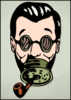
November 3, 201015 yr comment_343264 I just downloaded GIMP a couple days ago. I watched and read a handful of tutorials and here is my first attempt at anything... http://i122.photobucket.com/albums/o255/nathans74/Sigattempt1.png http://i122.photobucket.com/albums/o255/nathans74/IRONPIP3.png http://i122.photobucket.com/albums/o255/nathans74/IRONPIP2.png Any feedback, tips, whatever, would be greatly appreciated. Edited November 25, 201015 yr by Schmoo Report
November 3, 201015 yr comment_343275 Looks good, only thing I'd point out is on the text, parts wash out when near similar shades from the background, some sort of contrasting feature (ie shadow, border) might be good. Report
November 25, 201015 yr Author comment_349056 http://i122.photobucket.com/albums/o255/nathans74/IRONPIP3.png http://i122.photobucket.com/albums/o255/nathans74/IRONPIP2.png Feedback would be much appreciated, these have promise, but my skills are lacking. Report
Join the conversation
You can post now and register later. If you have an account, sign in now to post with your account.